Read printed text.Hear it instantly.
A standalone reading pen for adults. Scan a line of printed text and hear it spoken aloud through the pen's own speaker — no phone, no app, nothing to set up.
- Built-in speaker
- Works 100% offline
- Zero phone or app required
- Instant line-by-line audio
…the terms set out in section 4 of this agreement…
the terms set out in section four of this agreement
- Printed textOn the page
- ScanThe line
- OCRRecognize text
- SpeakHear it aloud
Not sure what you need? Start with the problem.
I need help reading everyday print
Books, menus, forms, labels, documents and small print.
Explore →I want to hear printed text
Text-to-speech, OCR and printed-text reading.
Explore →I’m comparing reading tools
Reading pens vs. phones, apps, tablets and scanners.
Compare →I want to choose a reading pen
Features, portability, offline use and buying considerations.
Find your pen →Not sure a reading pen is the right tool at all? This site publishes 37 guides on reading assistance for adults — including the cases where a phone, a flatbed scanner or desktop software is the better answer.
Read the guides →Three seconds, start to finish
No pairing, no account, no software. The device does the whole job by itself.
Draw it across the line
Rest the tip on the page and slide it along the text, the way you would underline it with a highlighter.
It recognises the words
Optical character recognition runs on the device itself — no photograph to take, no upload, no connection required.
It reads them out
The built-in speaker says the line back to you. Keep going, or stop and re-read whatever you missed.
What it does — and what it doesn’t
Worth knowing before you buy, not after. A reading pen is a precise tool, and it is the wrong tool for some jobs.
It handles this well
- Reading a line, a paragraph or a page you choose, out loud, on demand
- Printed material that never gets digitised — letters, forms, labels, manuals
- Working with nothing else present: no phone, no laptop, no signal
- Clean body text at ordinary sizes, in good contrast
- Re-hearing a difficult sentence as many times as you want
Reach for something else when
- You want a whole book converted to audio — a sheet-fed scanner and TTS software suits that better
- The text is handwritten, heavily stylised, or printed on a strong pattern
- You need it read from a screen — your phone and computer already do that
- You want a diagnosis or treatment for a reading or vision condition — this is an access tool, nothing more
Both sides of that are covered in more depth in Reading Pen vs. Traditional Scanner: Complete Comparison Guide and Reading Pen vs. Text-to-Speech Software: Hardware vs. Digital Workflows.
Standalone Reading Pens Compared
Three premier standalone devices that read aloud entirely on their own — with zero phone, zero application, and zero internet connection required.
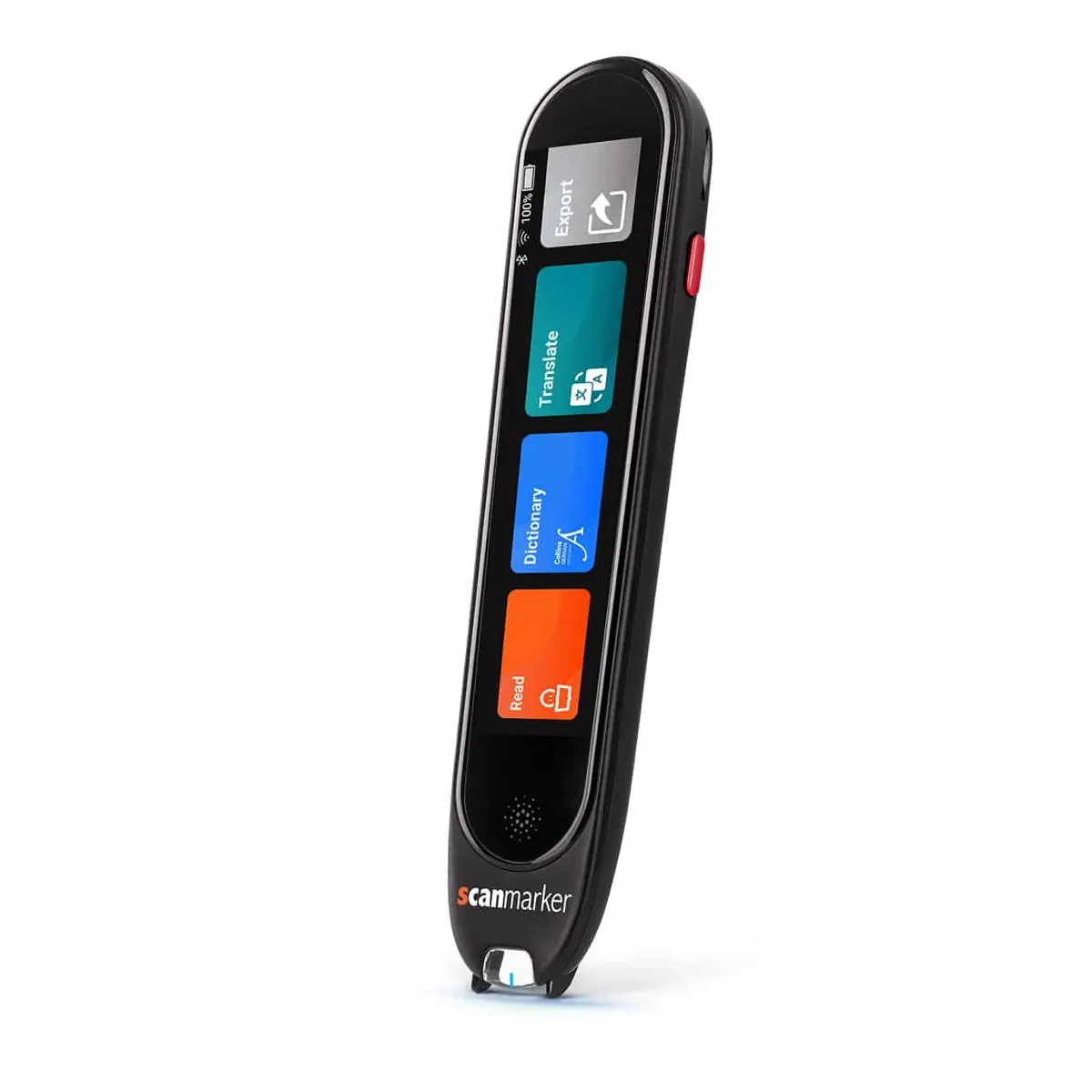
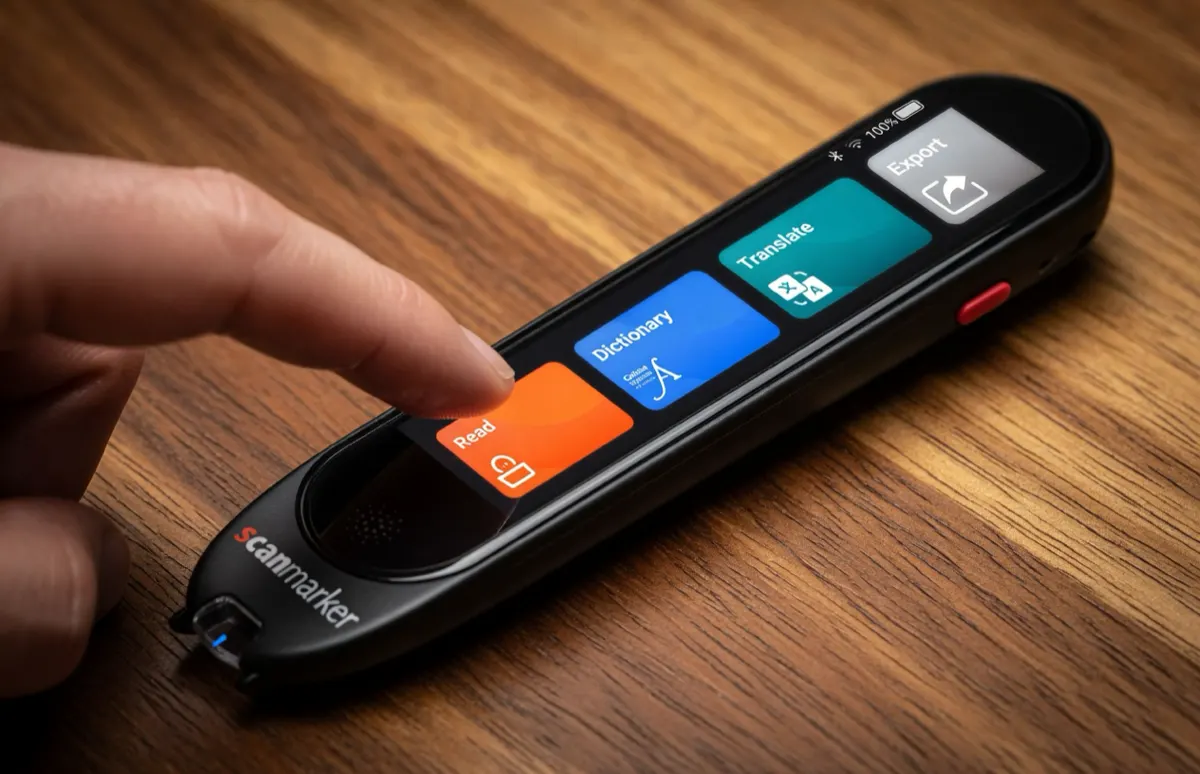
Scanmarker Max
The standalone flagship: color touchscreen to read and hear text simultaneously, 30 offline TTS languages, and built-in phonics.
- On-device speaker Yes
- Speech languages 30 languages
- Needs phone/PC No (Zero phone)
- Battery 16 hours
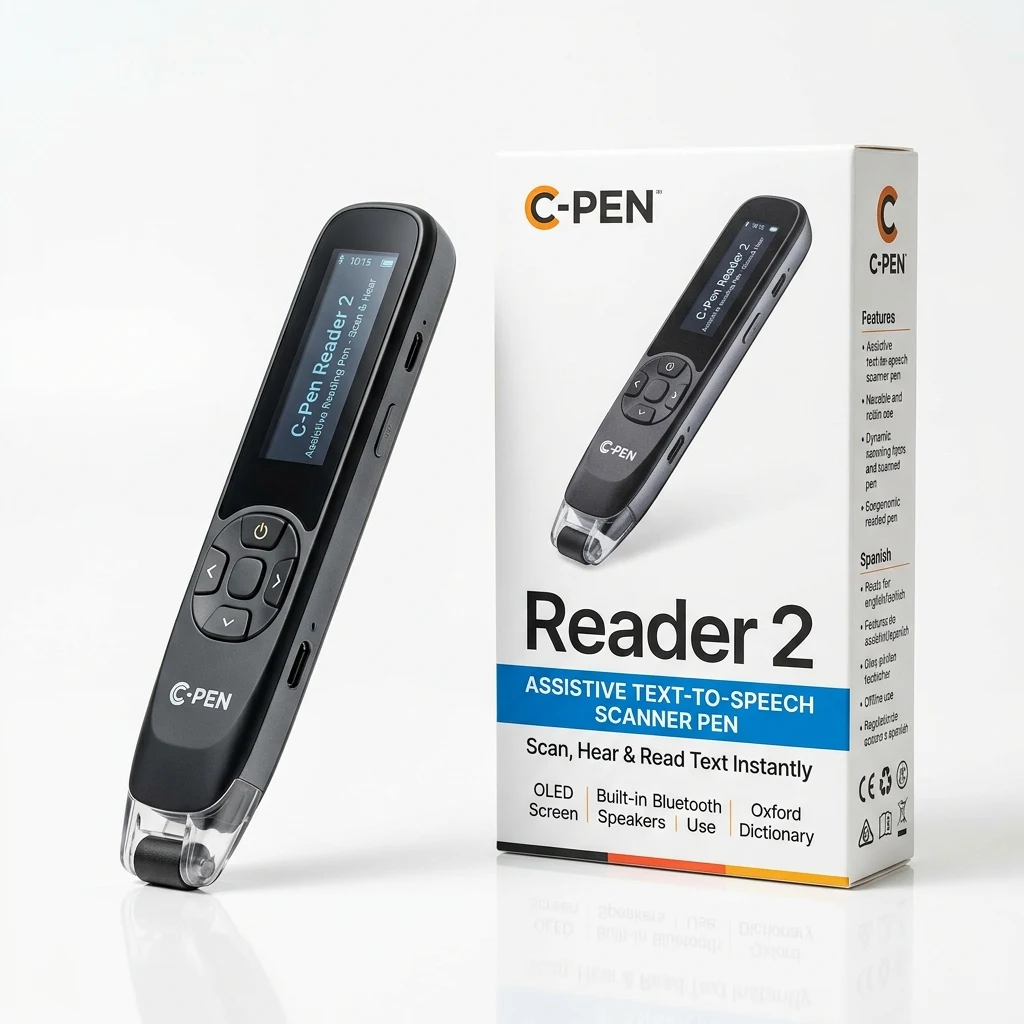
C-Pen Reader 2
The classroom & SEN standard: physical navigation buttons, built-in Collins & Oxford dictionaries, audio recording, and exam lock modes.
- On-device speaker Yes
- Speech languages English/ES/FR
- Needs phone/PC No (Zero phone)
- Battery 10 hours
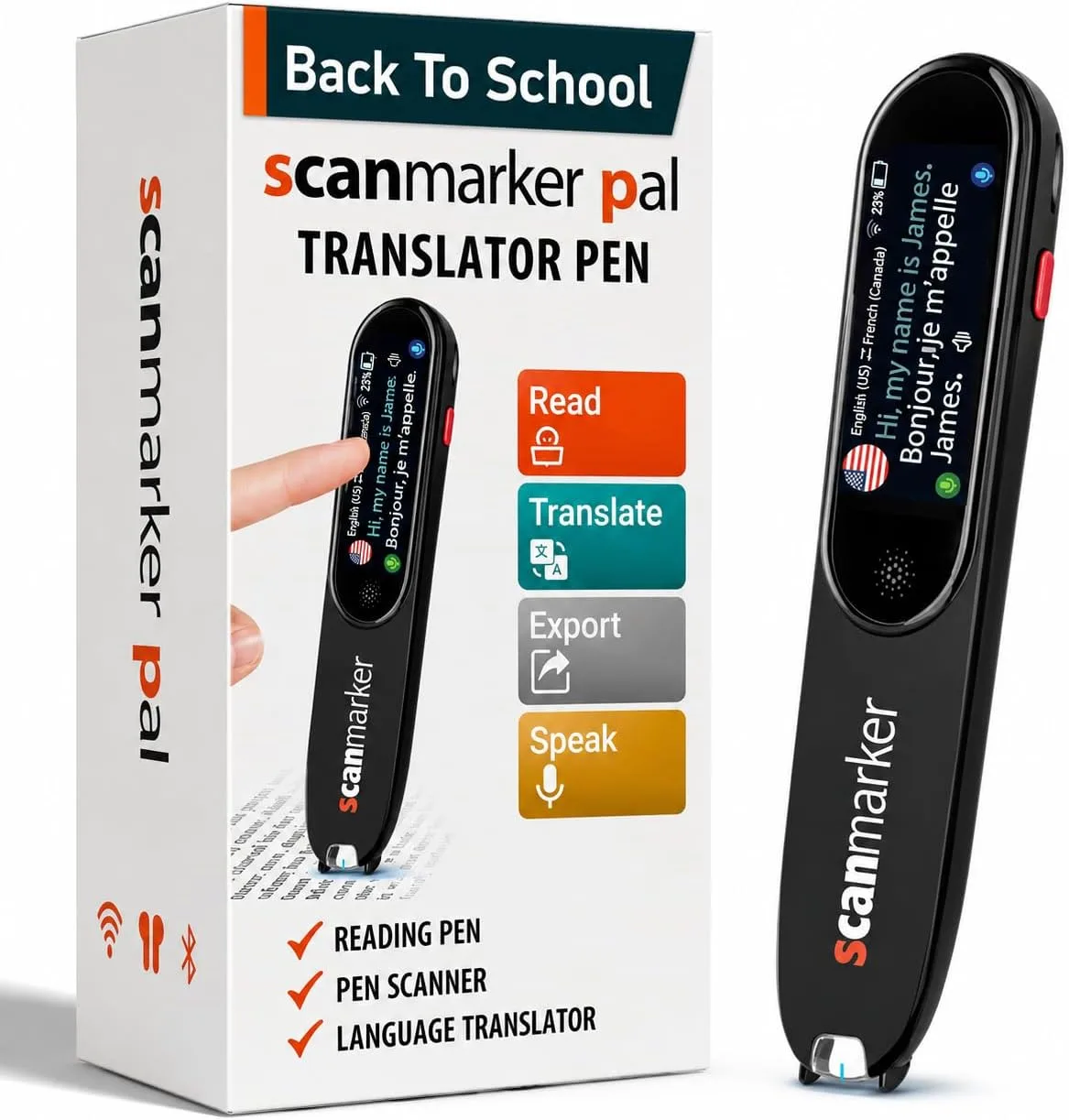
Scanmarker PAL
The simpler device: tactile button controls, zero complex menus to configure, and an ultra-durable build. Instant on-device read-aloud.
- On-device speaker Yes
- Speech languages 10 languages
- Needs phone/PC No (Zero phone)
- Battery 8 hours
Connected Pens, Certified Exam Pens & Other Technologies
If you primarily read at a desk with a computer, require strict certified testing accommodations, or need to digitize entire book volumes, these specialized models and complementary tools address those distinct requirements.
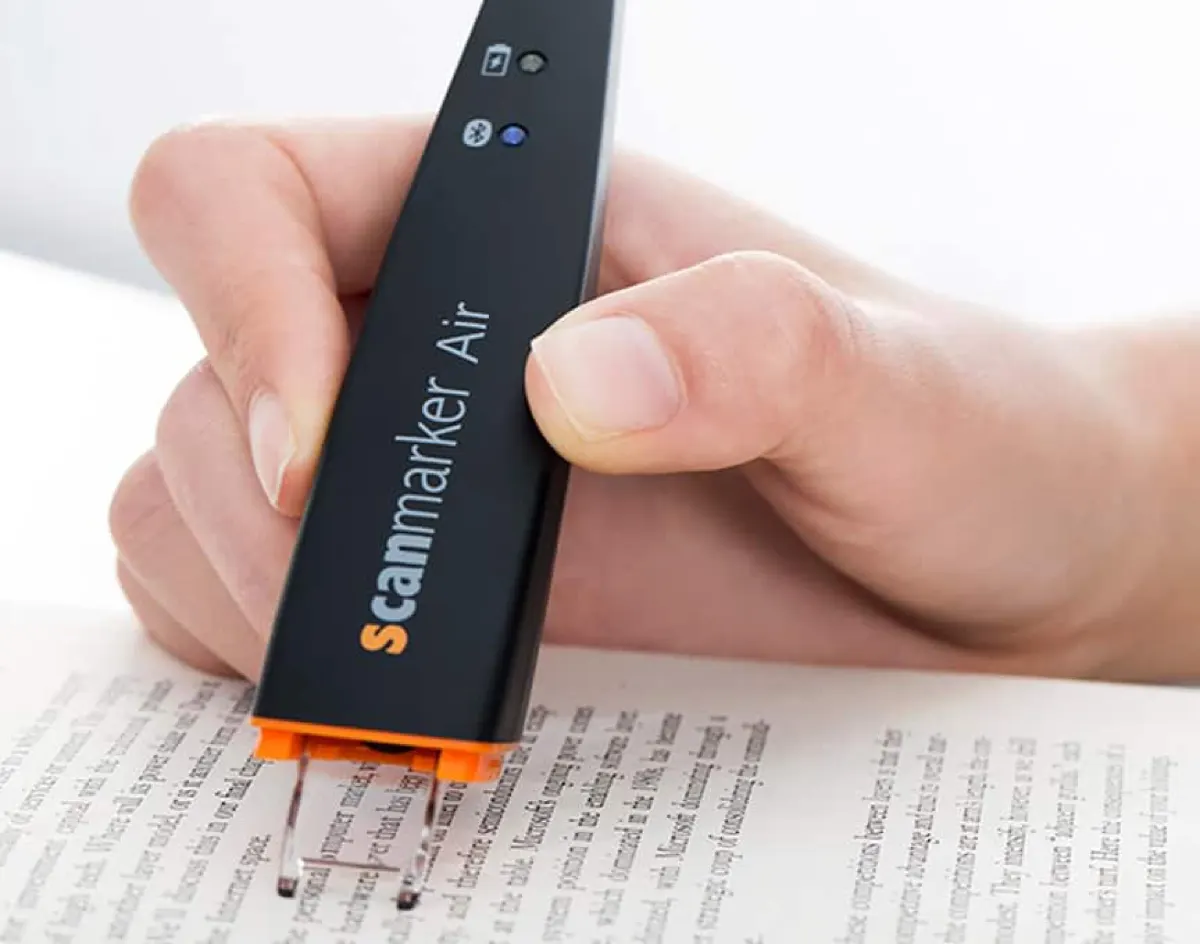
Scanmarker Air
Bluetooth wand that captures printed lines and streams text directly into MS Word, Google Docs, or email cursors in real time.
Shop Air →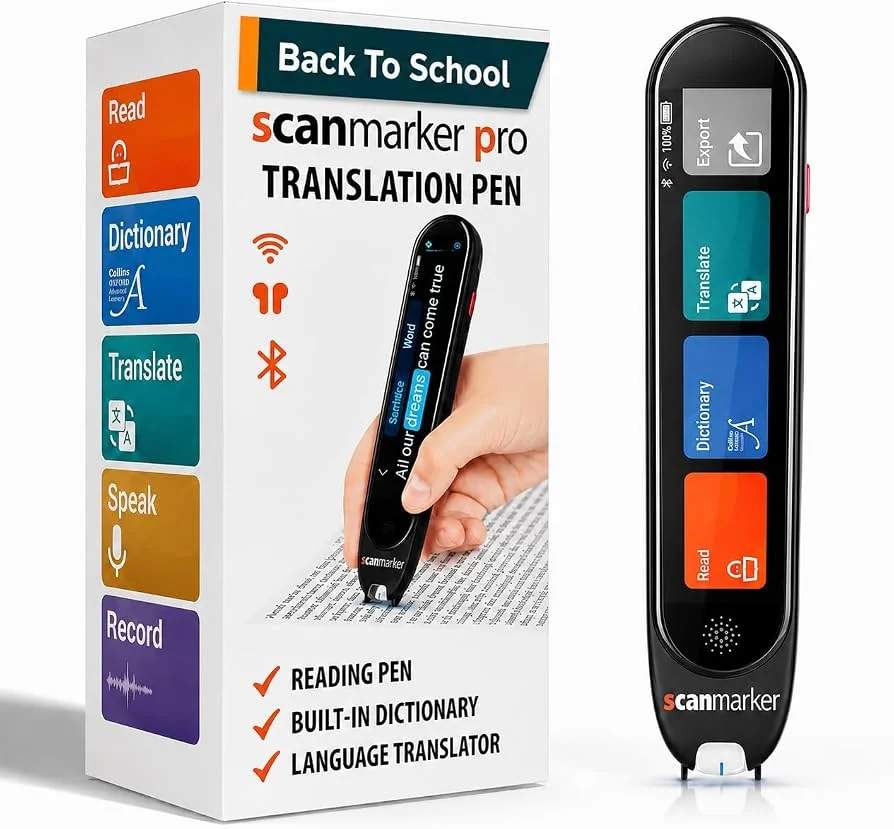
Scanmarker Pro
Designed for multilingual learners and international professionals who want live text translation and paired audio speech on their screen.
Shop Pro →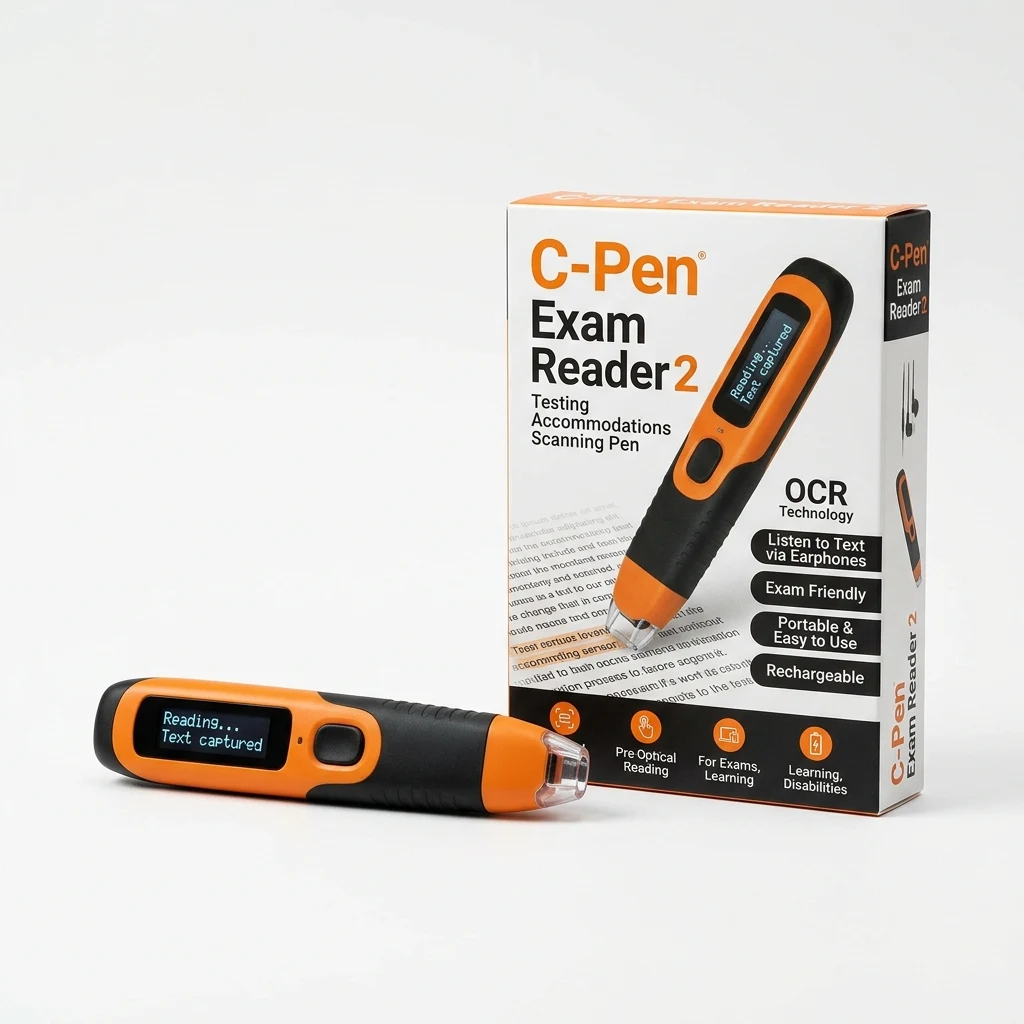
C-Pen Exam Reader 2
Locked standalone pen with zero dictionaries, storage, or Wi-Fi to meet strict testing board requirements (UK JCQ, SEC, state exams).
View on Amazon ↗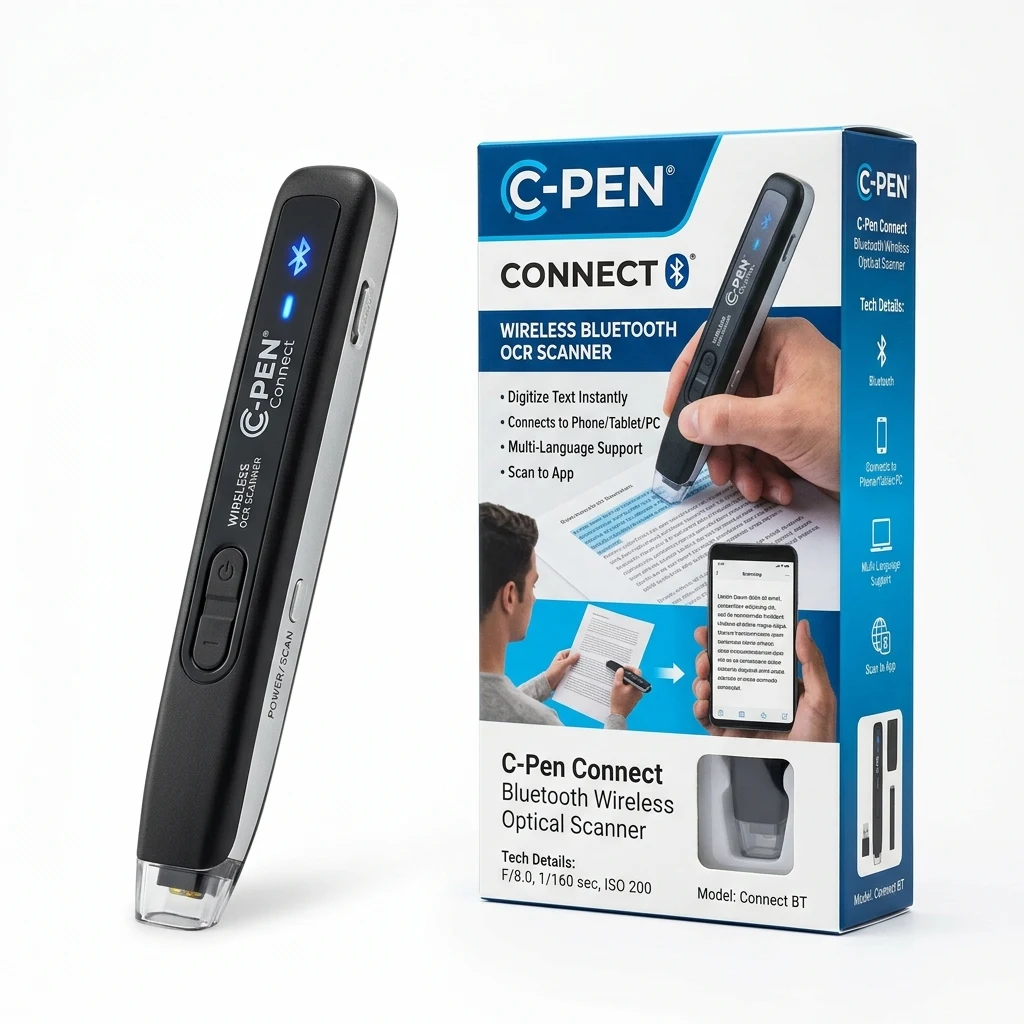
C-Pen Connect
Slim companion scanner wand that digitizes printed quotes, research snippets, and citations straight to your computer or phone.
View on Amazon ↗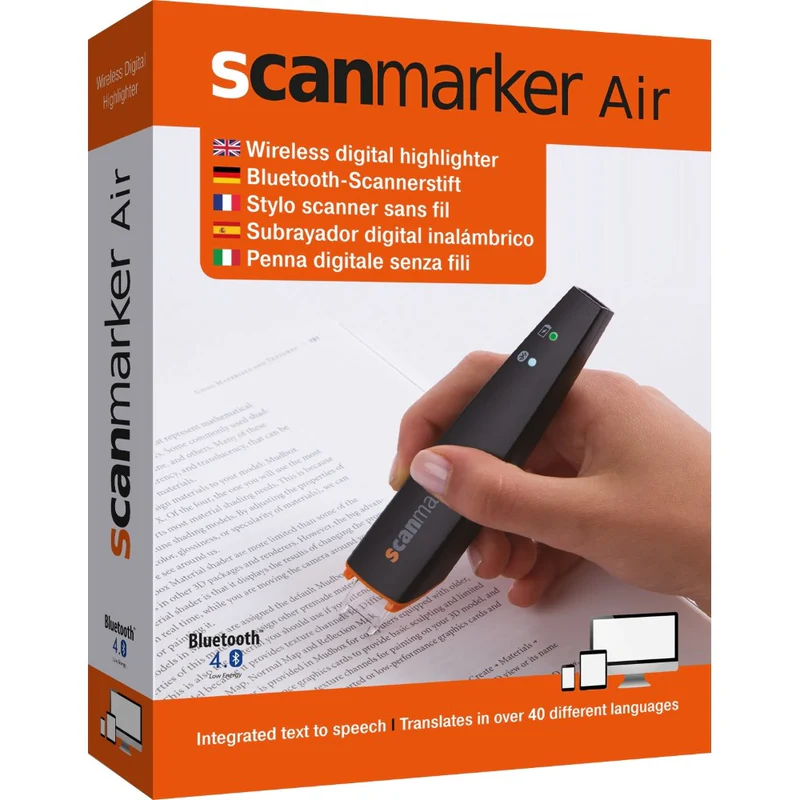
Scanmarker USB
Zero batteries and zero charging. Plugs directly into any Mac, Windows, or Chromebook USB port for fast printed text extraction.
Shop USB →When is a handheld reading pen NOT the right tool?
Whole-Book & Bulk Bound Document Digitization: Handheld pens are precision instruments built for active line-by-line reading and immediate audio access. If you need to convert a full 400-page bound book into digital text or an audiobook, a high-speed flatbed book scanner (like Plustek OpticBook) or an overhead document camera (like CZUR) is far faster and more practical.
Digital Screen & Web Article Reading: When your reading material is already digital on your phone, tablet, or laptop, specialized software like Voice Dream Reader, Speechify, or native screen readers (Apple VoiceOver, Windows Narrator) provides auditory access without needing physical hardware.
Physical Reading Aids & Complementary Accessibility Tools
A handheld reading pen is precision-engineered for line-by-line reading on paper. For whole-book digitization, high-contrast digital magnification, visual line tracking, hands-free desk reading, and private listening, these tested hardware companions solve the physical and optical bottlenecks around physical print.
CZUR Aura Pro Portable Book Scanner
Compact overhead book scanner with AI curve-flattening technology and foot pedal. Scans bound pages up to A3 in under 2 seconds while doubling as an adjustable eye-protection reading lamp.
- Patented curve-flattening algorithms
- Foot pedal for hands-free book scanning
- Built-in smart desk lamp with 4 color modes
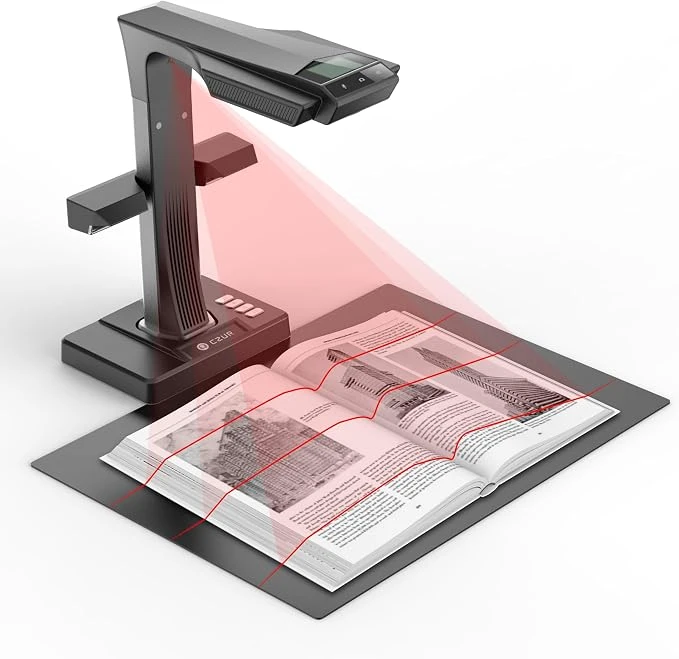
CZUR ET MAX Professional Book & Document Scanner
Professional 38MP overhead document scanner engineered specifically for what pens cannot do: digitizing bound textbooks and archives in seconds with patented curve flattening without splitting spines.
- 38MP ultra-high-resolution document camera
- Patented 3-laser curve flattening technology
- Foot pedal & hand button for fast dual-page scanning
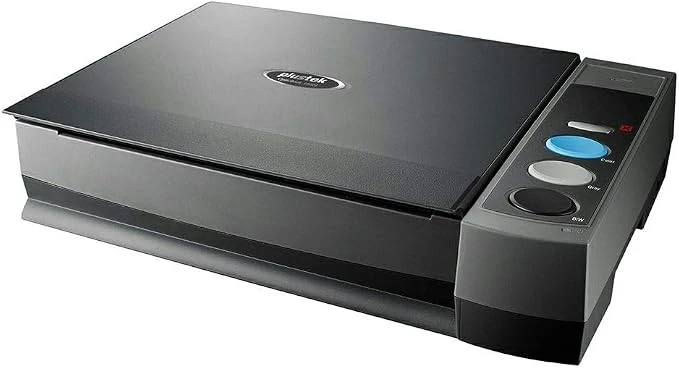
Plustek OpticBook 3800L Document Scanner
A4 flatbed scanner with patented book-edge design (SEE technology) that eliminates spine shadows and text distortion, compatible with most imaging and OCR applications.
- Book spine shadow elimination (SEE technology)
- True 1200 DPI CCD optical sensor
- Fast 7-second scan per A4 page at 300dpi
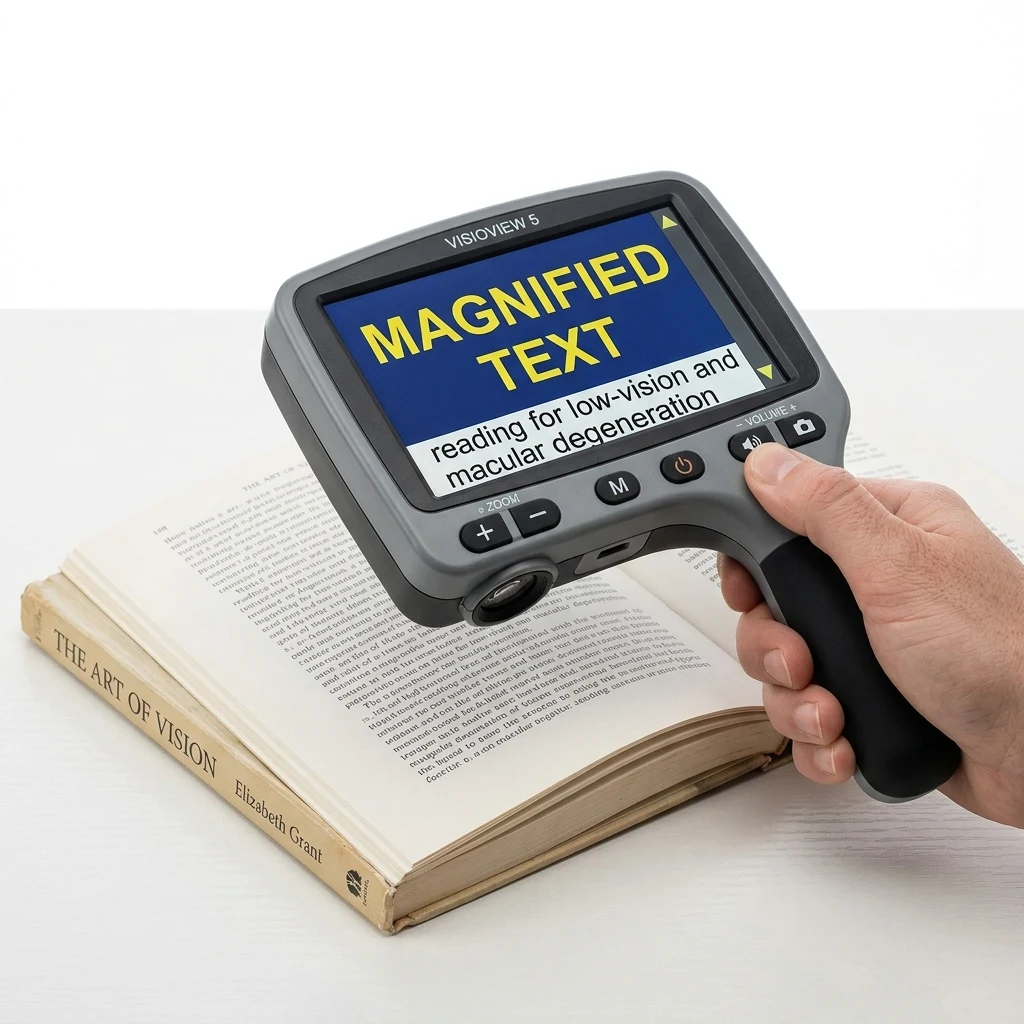
Eyoyo 5" Handheld Video Magnifier
Designed for macular degeneration, glaucoma, and severe visual strain. Displays medication warnings, mail, and books in high-contrast color modes with freeze-frame support.
- 4X to 32X smooth optical magnification
- 17 color modes (black/white, yellow/blue)
- Freeze-frame captures medicine bottles
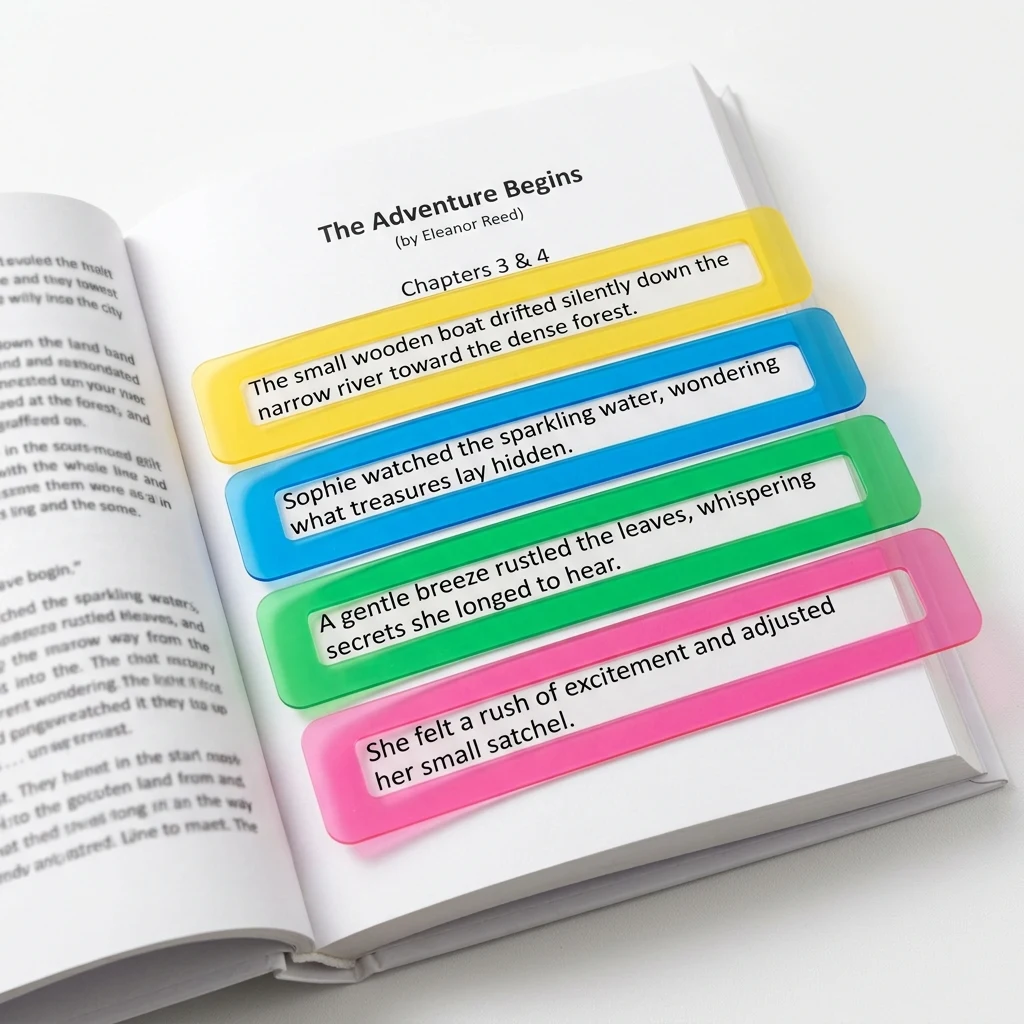
Dyslexia Guided Reading Strips
Transparent colored highlight overlays and visual tracking rulers that isolate a single line of text at a time, eliminating word crowding, line jumping, and visual stress.
- Multi-color tinted optical plastic
- Isolates 1 line while tracking context
- Zero batteries — 100% lightweight & portable
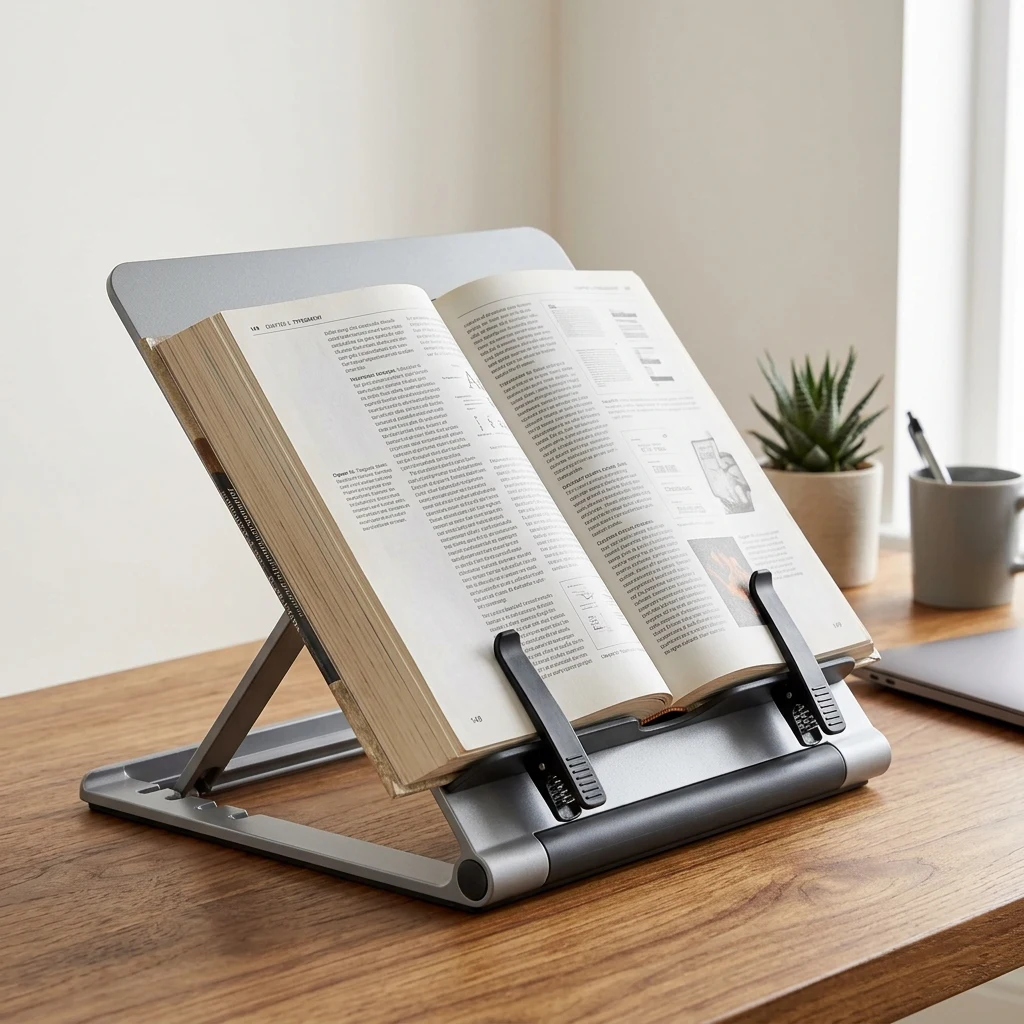
Fellowes BookLift Ergonomic Copyholder
Adjustable multi-angle desktop stand designed to hold thick reference books, study manuals, and binders upright at eye level, freeing hands for steady reading pen guidance.
- Heavy-duty spring-loaded page clips
- Multi-angle incline prevents neck strain
- Accommodates up to 400-page hardcovers
Scanmarker Wireless Reading Earbuds
Voice-calibrated low-latency Bluetooth earbuds engineered for spoken text clarity, audiobooks, and distraction-free private study in quiet libraries or classrooms.
- Clear vocal midrange tuning
- Passive noise isolating ear tips
- Pairs instantly with Max pen, phone, or laptop
Full Model Comparison Matrix
Compare standalone versus connected reading pens across price, speech capabilities, language support, and optimal use cases.
| Model | Price | Audio & Speech | Languages | Best For | Action |
|---|---|---|---|---|---|
| ● Standalone Reading Pens — Zero Phone or Wi-Fi Needed (Recommended) | |||||
|
Scanmarker Max
Best standalone
|
$299 | Built-in Speaker | 30 languages | Touchscreen, exam-lock, offline TTS | Amazon ↗ |
|
C-Pen Reader 2
SEN Standard
|
$399 | Built-in Speaker | English/ES/FR | SEN standard, built-in Collins & Oxford dictionaries | Amazon ↗ |
|
Scanmarker PAL
|
$179 | Built-in Speaker | 10 languages | Simple and durable — minimal controls | Amazon ↗ |
| ○ Connected Wand Scanners — Pairs with Laptop, Tablet, or Smartphone | |||||
|
Scanmarker Air
Best for note-taking
|
$169 | 📱 Device Required | 112 languages | Types straight into any app | Amazon ↗ |
|
Scanmarker Pro
Best OCR
|
$249 | 📱 Device Required | 112 languages | Strongest OCR, needs a host device | Amazon ↗ |
|
C-Pen Connect
Wireless Companion
|
$149 | 📱 Device Required | Companion App | Bluetooth companion scanner wand | Amazon ↗ |
|
Scanmarker USB
Best budget
|
$79 | 📱 Device Required | 112 languages | Wired, no pairing, budget desk option | Amazon ↗ |
Standalone — Zero phone or internet required
Scanmarker Max
Best standalone- Audio
- ✓ Built-in Speaker
- Languages
- 30 languages
- Best for
- Touchscreen, exam-lock, offline TTS
C-Pen Reader 2
SEN Standard- Audio
- ✓ Built-in Speaker
- Languages
- English/ES/FR
- Best for
- SEN standard, built-in Collins & Oxford dictionaries
Scanmarker PAL
- Audio
- ✓ Built-in Speaker
- Languages
- 10 languages
- Best for
- Simple and durable — minimal controls
Connected — Pairs with phone or computer
Scanmarker Air
Best for note-taking- Audio
- Needs device
- Languages
- 112 languages
- Best for
- Types straight into any app
Scanmarker Pro
Best OCR- Audio
- Needs device
- Languages
- 112 languages
- Best for
- Strongest OCR, needs a host device
C-Pen Connect
Wireless Companion- Audio
- Needs device
- Languages
- Companion App
- Best for
- Bluetooth companion scanner wand
Scanmarker USB
Best budget- Audio
- Needs device
- Languages
- 112 languages
- Best for
- Wired, no pairing, budget desk option
Standalone models list on-device text-to-speech languages; connected models list translation languages available through a host device. Product data verified August 2026. See the complete technical matrix →
Where people actually use it
Each of these is a real situation with its own guide — written for the specific problem, not as a sales page.
Books
Long-form reading without decoding every line yourself.
Read the guide →Menus and signage
Small, low-contrast print in places you cannot control the lighting.
Read the guide →Forms and paperwork
Applications, contracts and anything with fine print you have to sign.
Read the guide →Printed documents
Letters, statements, manuals and correspondence that arrive on paper.
Read the guide →Small print
Labels, dosage instructions, footnotes and packaging.
Read the guide →Dense or technical text
Material where re-reading the same paragraph is the actual problem.
Read the guide →Out of the house
Somewhere a laptop is impractical and a phone is awkward to hold up.
Read the guide →At work
Printed reports, reference material and documents that never get scanned.
Read the guide →Coursework
Textbooks and course packs, including material provided only on paper.
Read the guide →When reading tires you out
Sustained reading that costs more energy than it should.
Read the guide →Why listening helps
Three background guides for anyone deciding whether the problem they have is the problem this solves.
Reading Fatigue: Causes, Visual Strain & Assistive Reading Solutions
Why extended reading causes visual strain and cognitive exhaustion — and how bimodal text-to-speech reading pens alleviate fatigue for adults.
Assistive Reading Technology: Modern Hardware & Software Systems
An authoritative technical evaluation of OCR sensors, digital text-to-speech engines, screen readers, and dedicated hardware for accessible reading.
Text-to-Speech for Reading: Synthesizers, Audio Pacing & Cognitive Benefits
An in-depth guide to Text-to-Speech (TTS) technology — comparing neural speech synthesis, offline embedded engines, audio pacing, and bimodal reading retention.
37 guides, in five groups
Everything published on this site, organised by the question you arrived with.
Start here
What reading assistance actually is, and which tools exist.
Everyday situations
Books, menus, forms, paperwork, small print, work and study.
Text-to-speech
How printed words become spoken audio, on a screen and off one.
Compared with the alternatives
Pen against phone, app, flatbed scanner, tablet and desktop software.
Choosing one
Buying criteria, portability, older readers, and the Scanmarker models.
Reading aids & hardware companions
Handheld digital magnifiers, visual tracking strips, and ergonomic book holders.
Common questions
Does it really work without a phone?
Yes — that is the whole point of the two models on this page. Scanmarker Max and Scanmarker PAL each have their own speaker and processor, so they read aloud with nothing paired and nothing installed. Connected models exist in the wider lineup, but they need a phone, tablet or computer to display and speak.
What is the difference between Scanmarker Max and Scanmarker PAL?
Scanmarker Max ($299) is the fuller device — touchscreen, exam-lock, offline tts. Scanmarker PAL ($179) is the simpler one — simple and durable — minimal controls. Both read aloud on their own; the difference is how much the device does beyond that, and how many languages it covers.
Can it read in other languages?
On-device text-to-speech covers 30 languages on Scanmarker Max. Scanmarker PAL covers 10 languages. Connected models reach 112 languages for translation, but they require a host device to do it.
How long does the battery last?
Standalone models deliver extended runtime: roughly 16 hours of active continuous scanning on Scanmarker Max and 8 to 14 hours on Scanmarker PAL. For typical daily use reading mail, books, and forms, a single USB-C charge lasts several weeks without needing to carry a charger.
Will it read an entire book for me?
It is built for lines, passages and pages you choose — not for digitising a whole book unattended. If your goal is to convert an entire volume into audio, a flatbed or sheet-fed scanner paired with text-to-speech software is the better tool, and the guides on this site cover that comparison honestly.
Does it work on any printed page?
Recognition depends on the print itself — font, size, contrast, paper quality, curvature near a book’s spine, and how steadily the pen is drawn across the line. No optical character recognition is perfect in every condition. Clean, reasonably sized body text is where it performs best.
Is this a medical or low-vision device?
No. It is assistive technology that provides access to printed text. It does not diagnose, treat or correct any condition, and it is not a substitute for advice from an optometrist, ophthalmologist or other qualified professional.
What if I already read on a phone or laptop?
Then a connected pen may suit you better and cost less — it uses the screen and speaker you already carry. The full lineup, standalone and connected side by side, is on the comparison page.
Last reviewed: August 2026
Built to be readable
This site is for people who find reading hard work, so its own type size, contrast, focus indicators and tap targets are treated as requirements rather than finishing touches.
Two pens read aloud on their own
Scanmarker Max at $299, Scanmarker PAL at $179. Both work with no phone, no app and no connection.
Compare the two